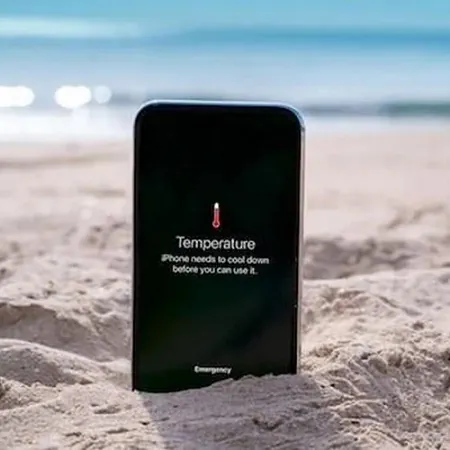
If mobile data does not turn on the issue usually comes from settings SIM problems software errors or device related technical faults.
Today, smartphones have become devices that are almost useless without an internet connection. For this reason, when mobile data suddenly stops working on a phone, it becomes one of the most common technical problems users experience. Mobile data may not turn on due to a line related issue, the phone’s software may block the data connection, or a setting the user accidentally changed may completely cut off internet access. Although this situation often stems from a simple cause, the process of finding a solution can be quite exhausting for the user. Understanding the reason behind the issue is important because mobile data problems usually arise from multiple factors working together. Data package limits, network outages, incorrect APN settings, or low signal strength frequently trigger these problems. Therefore, the question “mobile data is not turning on” may seem simple at first, but there are many technical factors behind it.
Reasons Why Mobile Data Does Not Turn On
When mobile data does not turn on or stops working on a phone, the first thing to check is the communication between the SIM card and the device. A SIM card that has shifted from its slot, corrupted line identification, or temporary maintenance performed by the operator are among the most common causes. Additionally, features inside the phone such as the mobile data manager, power saving modes, and background data restrictions directly affect the internet connection. New generation devices often use automatic optimization systems to reduce battery usage, and these systems sometimes limit data access. Without realizing it, the user may have “background data usage” turned off or may have left “airplane mode” on. Beyond all this, software updates can also disrupt the mobile connection. After an update, APN settings may reset and affect the network configuration of the phone. Low signal strength, temporary network issues, and sudden transitions from 4G LTE to 3G areas can also cause interruptions. In short, the issue of mobile data not turning on arises from many technical details combined, and therefore requires careful troubleshooting.
Steps to Fix the Issue
When mobile data stops working, the first thing to do is to check the phone’s connection settings. Basic points such as whether airplane mode is off, the network type is correct, and data roaming is enabled should be reviewed. If the issue continues, the SIM card can be removed and reinserted, or the line can be tested on another device. If it works on the other device, the problem lies with the phone; if not, it is an operator related issue. Resetting APN settings is often an effective solution. Users should also disable power saving modes, remove background data restrictions, and restart their phone. If the problem is caused by software, installing updates or performing a factory reset may help. All these steps can restore the stable functioning of mobile data. If the problem still persists after all these suggestions, make sure to contact customer service for assistance before taking the device to a technician. /